from dotenv import load_dotenv
load_dotenv()
from typing_extensions import TypedDict

class State(TypedDict):
    graph_state: str
def node_1(state):
    print("---Node 1---")
    return {"graph_state": state['graph_state'] +" I am"}

def node_2(state):
    print("---Node 2---")
    return {"graph_state": state['graph_state'] +" happy!"}

def node_3(state):
    print("---Node 3---")
    return {"graph_state": state['graph_state'] +" sad!"}
import random
from typing import Literal

def decide_mood(state) -> Literal["node_2", "node_3"]:

    # Often, we will use state to decide on the next node to visit
    user_input = state['graph_state']

    # Here, let's just do a 50 / 50 split between nodes 2, 3
    if random.random() < 0.5:

        # 50% of the time, we return Node 2
        return "node_2"

    # 50% of the time, we return Node 3
    return "node_3"
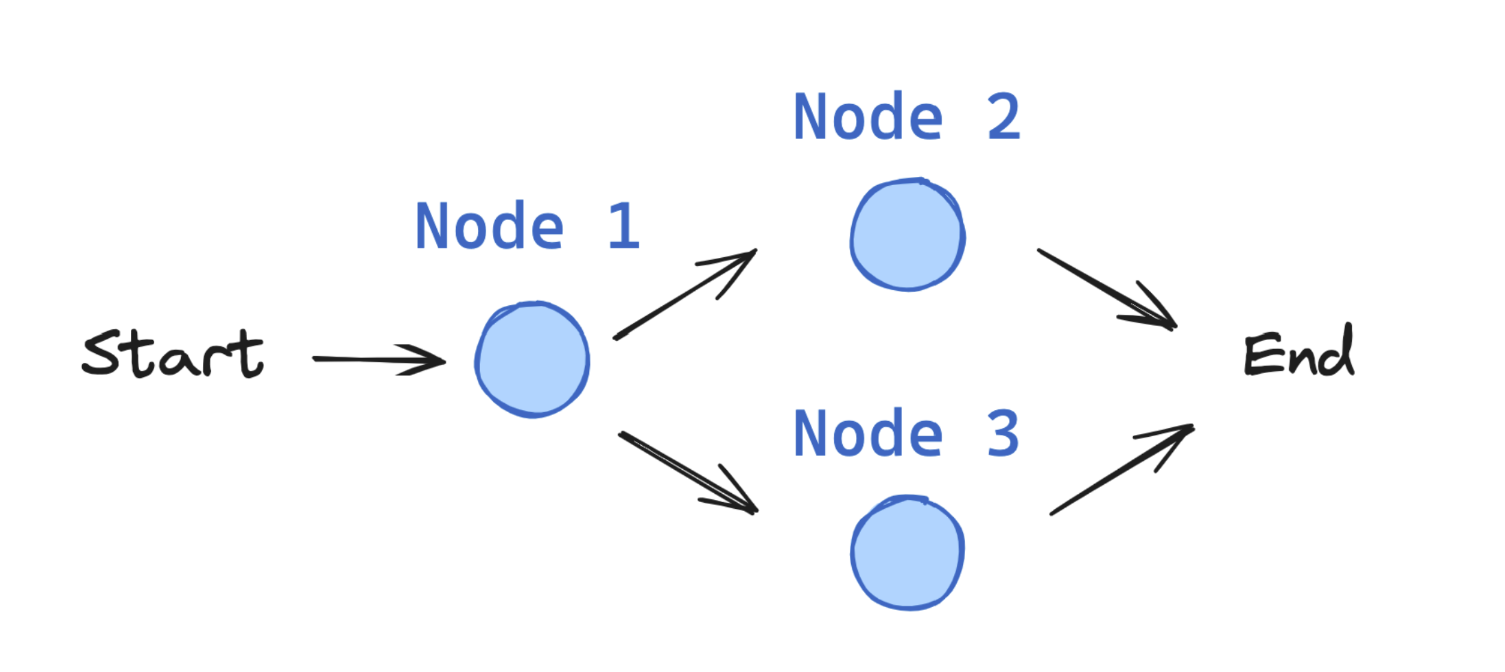
Graph Construction
Now, we build the graph from our components defined above.
The StateGraph class is the graph class that we can use.
First, we initialize a StateGraph with the State class we defined above.
Then, we add our nodes and edges.
We use the START Node, a special node that sends user input to the graph, to indicate where to start our graph.
The END Node is a special node that represents a terminal node.
Finally, we compile our graph to perform a few basic checks on the graph structure.
We can visualize the graph as a Mermaid diagram.
from IPython.display import Image, display
from langgraph.graph import StateGraph, START, END

# Build graph
builder = StateGraph(State)
builder.add_node("node_1", node_1)
builder.add_node("node_2", node_2)
builder.add_node("node_3", node_3)

# Logic
builder.add_edge(START, "node_1")
builder.add_conditional_edges("node_1", decide_mood)
builder.add_edge("node_2", END)
builder.add_edge("node_3", END)

# Add
graph = builder.compile()

# View
display(Image(graph.get_graph().draw_mermaid_png()))

graph.invoke({"graph_state" : "Hi, this is Lance."})
---Node 1---
---Node 3---
{'graph_state': 'Hi, this is Lance. I am sad!'}
invoke runs the entire graph synchronously.
This waits for each step to complete before moving to the next.
It returns the final state of the graph after all nodes have executed.
In this case, it returns the state after node_3 has completed:
{'graph_state': 'Hi, this is Lance. I am sad!'}