

Chain
Review
We built a simple graph with nodes, normal edges, and conditional edges.
Goals
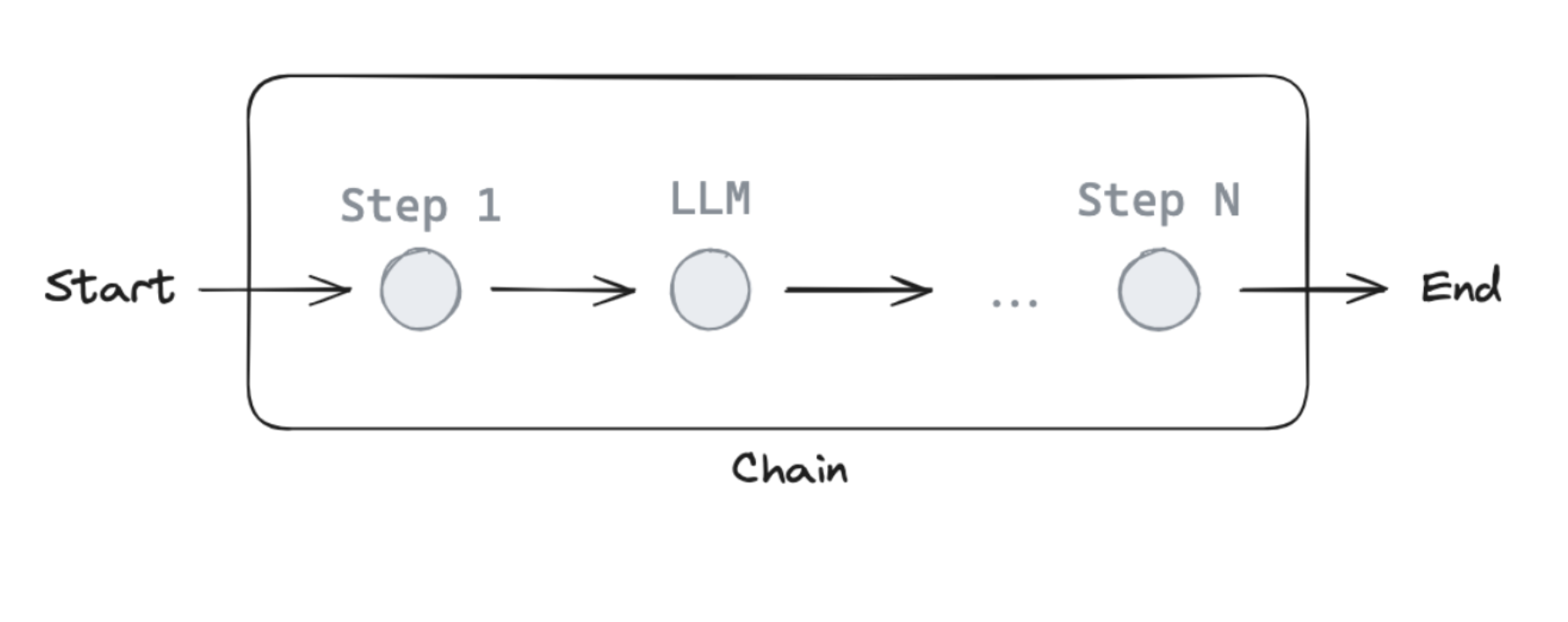
Now, let's build up to a simple chain that combines 4 concepts.
- Using chat messages as our graph state
- Using chat models in graph nodes
- Binding tools to our chat model
- Executing tool calls in graph nodes
from dotenv import load_dotenv
load_dotenv()
%%capture --no-stderr
%pip install --quiet -U langchain-deepseek langchain_core langgraph
Messages
Chat models can use messages, which capture different roles within a conversation.
LangChain supports various message types, including HumanMessage, AIMessage, SystemMessage, and ToolMessage.
These represent a message from the user, from chat model, for the chat model to instruct behavior, and from a tool call.
Let's create a list of messages.
Each message can be supplied with a few things:
content- content of the messagename- optionally, a message authorresponse_metadata- optionally, a dict of metadata (e.g., often populated by model provider forAIMessages)
from pprint import pprint
from langchain_core.messages import AIMessage, HumanMessage

messages = [AIMessage(content=f"So you said you were researching ocean mammals?", name="Model")]
messages.append(HumanMessage(content=f"Yes, that's right.",name="Lance"))
messages.append(AIMessage(content=f"Great, what would you like to learn about.", name="Model"))
messages.append(HumanMessage(content=f"I want to learn about the best place to see Orcas in the US.", name="Lance"))

for m in messages:
    m.pretty_print()
================================== Ai Message ==================================
Name: Model

So you said you were researching ocean mammals?
================================ Human Message =================================
Name: Lance

Yes, that's right.
================================== Ai Message ==================================
Name: Model

Great, what would you like to learn about.
================================ Human Message =================================
Name: Lance

I want to learn about the best place to see Orcas in the US.
We can load a chat model and invoke it with out list of messages.
We can see that the result is an AIMessage with specific response_metadata.
from langchain_deepseek import ChatDeepSeek
llm = ChatDeepSeek(model="deepseek-v4-pro")
result = llm.invoke(messages)
type(result)
langchain_core.messages.ai.AIMessage
result
result.response_metadata
Tools
Tools are useful whenever you want a model to interact with external systems.
External systems (e.g., APIs) often require a particular input schema or payload, rather than natural language.
When we bind an API, for example, as a tool we given the model awareness of the required input schema.
The model will choose to call a tool based upon the natural language input from the user.
And, it will return an output that adheres to the tool's schema.
Many LLM providers support tool calling and tool calling interface in LangChain is simple.
You can simply pass any Python function into ChatModel.bind_tools(function).
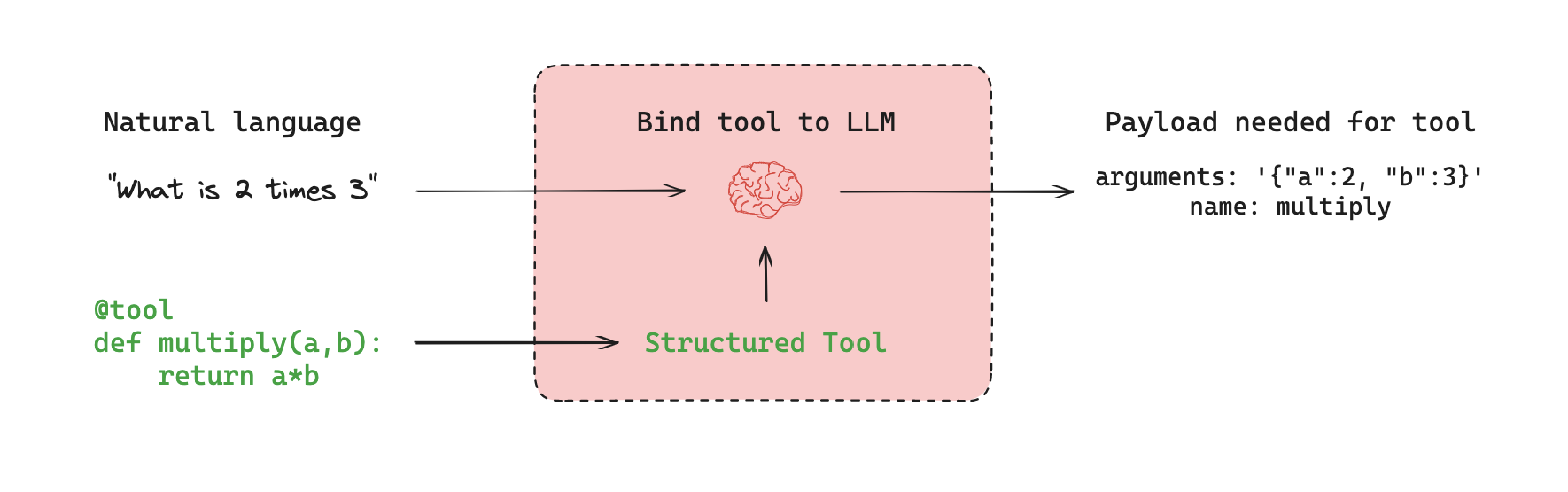
Let's showcase a simple example of tool calling!
The multiply function is our tool.
def multiply(a: int, b: int) -> int:
    """Multiply a and b.

    Args:
        a: first int
        b: second int
    """
    return a * b

llm_with_tools = llm.bind_tools([multiply])
If we pass an input - e.g., "What is 2 multiplied by 3" - we see a tool call returned.
The tool call has specific arguments that match the input schema of our function along with the name of the function to call.
{'arguments': '{"a":2,"b":3}', 'name': 'multiply'}
tool_call = llm_with_tools.invoke([HumanMessage(content=f"What is 2 multiplied by 3", name="Lance")])
tool_call.tool_calls
[{'name': 'multiply',
  'args': {'a': 2, 'b': 3},
  'id': 'call_lBBBNo5oYpHGRqwxNaNRbsiT',
  'type': 'tool_call'}]
from typing_extensions import TypedDict
from langchain_core.messages import AnyMessage

class MessagesState(TypedDict):
    messages: list[AnyMessage]
Reducers
Now, we have a minor problem!
As we discussed, each node will return a new value for our state key messages.
But, this new value will overwrite the prior messages value!
As our graph runs, we want to append messages to our messages state key.
We can use reducer functions to address this.
Reducers specify how state updates are performed.
If no reducer function is specified, then it is assumed that updates to the key should override it as we saw before.
But, to append messages, we can use the pre-built add_messages reducer.
This ensures that any messages are appended to the existing list of messages.
We simply need to annotate our messages key with the add_messages reducer function as metadata.
from typing import Annotated
from langgraph.graph.message import add_messages

class MessagesState(TypedDict):
    messages: Annotated[list[AnyMessage], add_messages]
Since having a list of messages in graph state is so common, LangGraph has a pre-built MessagesState!
MessagesState is defined:
- With a pre-build single
messageskey - This is a list of
AnyMessageobjects - It uses the
add_messagesreducer
We'll usually use MessagesState because it is less verbose than defining a custom TypedDict, as shown above.
from langgraph.graph import MessagesState

class MessagesState(MessagesState):
    # Add any keys needed beyond messages, which is pre-built
    pass
To go a bit deeper, we can see how the add_messages reducer works in isolation.
# Initial state
initial_messages = [AIMessage(content="Hello! How can I assist you?", name="Model"),
                    HumanMessage(content="I'm looking for information on marine biology.", name="Lance")
                   ]

# New message to add
new_message = AIMessage(content="Sure, I can help with that. What specifically are you interested in?", name="Model")

# Test
add_messages(initial_messages , new_message)
[AIMessage(content='Hello! How can I assist you?', name='Model', id='cd566566-0f42-46a4-b374-fe4d4770ffa7'),
 HumanMessage(content="I'm looking for information on marine biology.", name='Lance', id='9b6c4ddb-9de3-4089-8d22-077f53e7e915'),
 AIMessage(content='Sure, I can help with that. What specifically are you interested in?', name='Model', id='74a549aa-8b8b-48d4-bdf1-12e98404e44e')]
Our graph
Now, lets use MessagesState with a graph.
from IPython.display import Image, display
from langgraph.graph import StateGraph, START, END

# Node
def tool_calling_llm(state: MessagesState):
    return {"messages": [llm_with_tools.invoke(state["messages"])]}

# Build graph
builder = StateGraph(MessagesState)
builder.add_node("tool_calling_llm", tool_calling_llm)
builder.add_edge(START, "tool_calling_llm")
builder.add_edge("tool_calling_llm", END)
graph = builder.compile()

# View
display(Image(graph.get_graph().draw_mermaid_png()))

If we pass in Hello!, the LLM responds without any tool calls.
messages = graph.invoke({"messages": HumanMessage(content="Hello!")})
for m in messages['messages']:
    m.pretty_print()
================================ Human Message =================================

Hello!
================================== Ai Message ==================================

Hi there! How can I assist you today?
The LLM chooses to use a tool when it determines that the input or task requires the functionality provided by that tool.
messages = graph.invoke({"messages": HumanMessage(content="Multiply 2 and 3")})
for m in messages['messages']:
    m.pretty_print()
================================ Human Message =================================

Multiply 2 and 3!
================================== Ai Message ==================================
Tool Calls:
  multiply (call_Er4gChFoSGzU7lsuaGzfSGTQ)
 Call ID: call_Er4gChFoSGzU7lsuaGzfSGTQ
  Args:
    a: 2
    b: 3